Flow Builder Debugging

Flow Builder Debugging

Bring back the magic of automation by quickly turning error chaos to clear action paths

Bring back the magic of automation by quickly turning error chaos to clear action paths

Bring back the magic of automation by quickly turning error chaos to clear action paths

TEAM MEMBERS

1 product manager, 3 scrum teams, 1 content designer

TIMELINE

Design time: 2 months; build time: 6 months
Background

Background

Flow Builder is an enterprise automation tool for Salesforce administrators to automate a business process without having to write a single line of code.

The problem & solution

The problem & solution

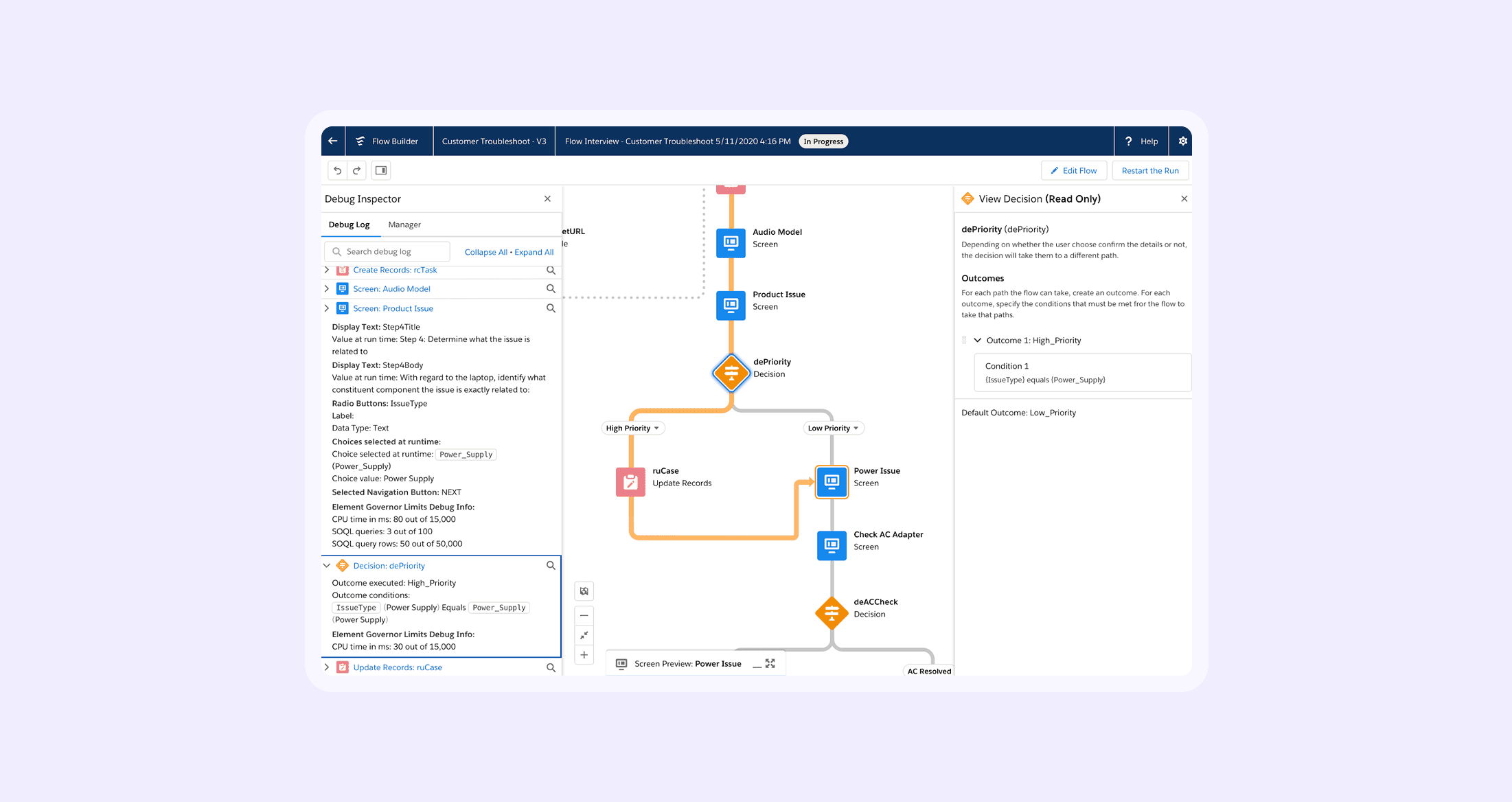
The old debugging experiences takes a lot of manual effort to replicate the error even after administrator receives the error email. The new solution allows a one-click experience to replicate error.

Define what problems to solve

Define what problems to solve

ROUND 1. PRODUCT REVIEW WITH LEADERSHIP

We got feedback early on our direction in a product review with a low fidelity walkthrough I put together after a whiteboarding session with my PM. We decided to focus on debugging production errors as our main focus after the review.

ROUND 2.USER DISCOVERY AND VALIDATION

By collaborating with my product manager, we are able to do a round of discovery and concept validations with our users. We decided to focus on replicating flow errors with less manual efforts, instead of developing a hypothesis faster without an error email to get started.

Interation design

Interation design

Explored many ways to navigate between edit and debug environments in Flow Builder and selected the option with usability testings and engineering inputs.

Explored many ways to navigate between edit and debug environments in Flow Builder and selected the option with usability testings and engineering inputs.

Design system collaboration

Design system collaboration

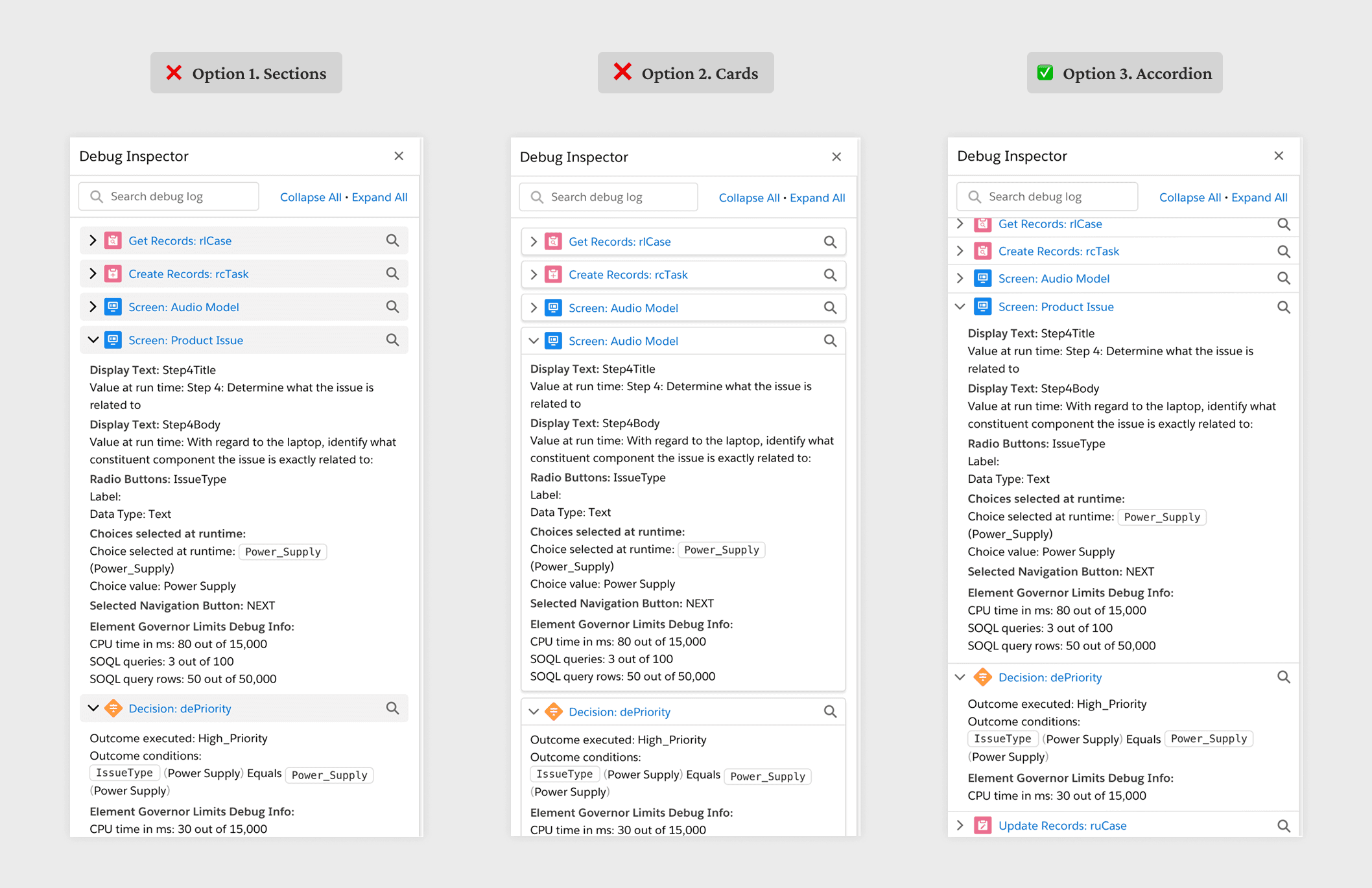
I worked closely with design system to find the best component to use for debug log cards for consistency and better comprehension.

I worked closely with design system to find the best component to use for debug log cards for consistency and better comprehension.

Accessibility collaboration

Accessibility collaboration

I worked with accessibility throughout the project, implementing keyboard navigation and screen reader support so the product actually works for everyone.

I worked with accessibility throughout the project, implementing keyboard navigation and screen reader support so the product actually works for everyone.

I worked with accessibility throughout the project, implementing keyboard navigation and screen reader support so the product actually works for everyone.

Content collaboration

Content collaboration

I partnered with our content designer to refine all the copy, integrating the language as part of the core experience.

I partnered with our content designer to refine all the copy, integrating the language as part of the core experience.

Design quality

Design quality

I care about getting the details right, so I wrote thorough specs and worked closely with engineers during QA to make sure everything shipped polished.

Impact

Impact

Quantitatively, 3 months after the feature release, we are seeing ~60% of the debug sessions are initiated from the error emails versus from the debugger, a great proxy metric to show the success of project with strong adoption. Qualitatively, we received very positive user afeedback from 8 users during our research session with many calling it a “game changing” feature and continue hearing positive feedback from our users post launch.